← All HBN Apps

HBN: Quantity Limits

Set the quantity a shopper may buy, explain the requirement before checkout, and stop an invalid cart from becoming an order.

Coming soon on Shopify
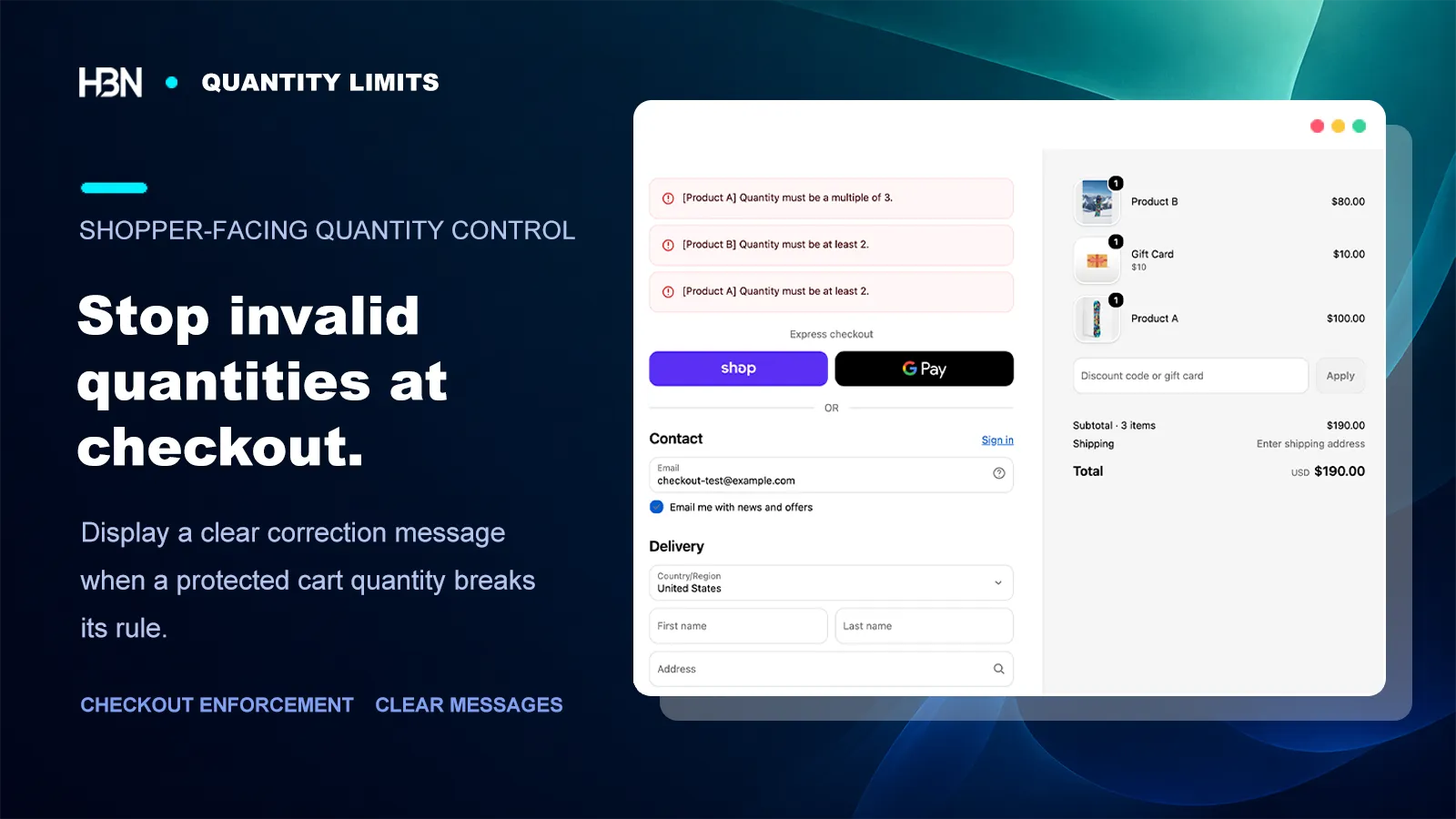
Shopify checkout showing minimum and required-multiple quantity errors for protected products

Guidance first, enforcement second

A quantity rule should not arrive as a checkout surprise.

A case-packed product, a limited release, and a wholesale item can all need quantity controls. The arithmetic is simple. The customer experience is not.

If the only explanation appears after the shopper has built a cart, a valid business rule feels like an error. Put a short hint near the quantity selector and in the cart, then use checkout validation as the source of truth. The first layer helps people choose correctly; the second prevents an invalid order from slipping through another path.

Write the requirement before configuring it.

“Customers must order this product in multiples of 6” is a rule. “Wholesale quantity control” is only a label. A precise sentence makes the target, number, storefront message, and test cases much easier to verify.

Choose the limit that says exactly what you mean

Use a minimum when an order below a threshold is impractical, a maximum when access or inventory must be capped, and a required multiple when fulfillment works in fixed increments. Do not replace a multiple-of-6 rule with a minimum of 6: quantities of 7 or 11 would satisfy the minimum while still breaking the case pack.
Keep the rule and the shopper message together

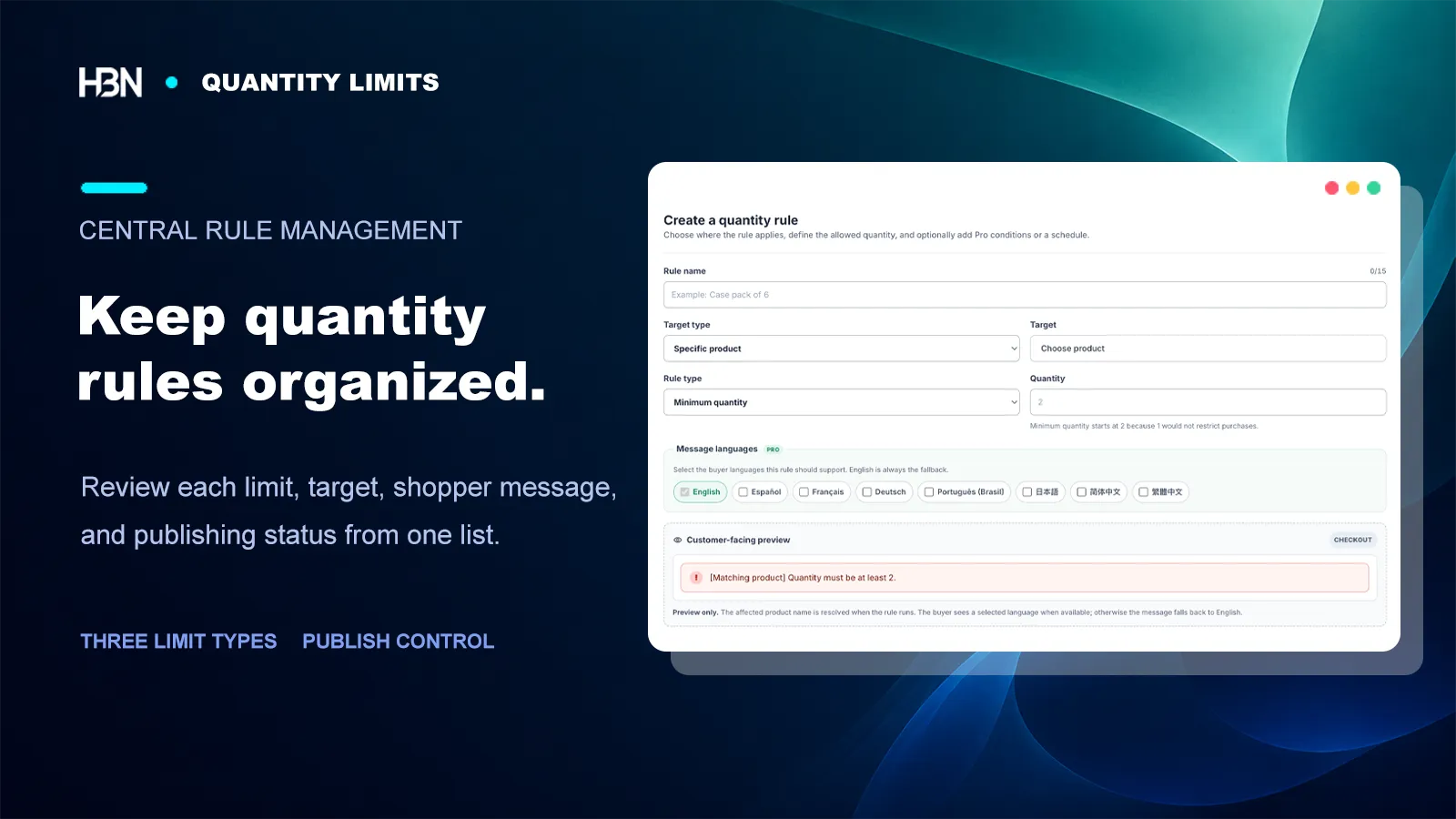
Each rule connects a catalog target with one quantity requirement. The app generates the correction message from that rule, including the affected product name at checkout, so the operational setting and the customer explanation do not drift apart. Pro rules can add supported buyer languages, with English as the fallback.

Quantity rule editor with product targeting, minimum quantity, message languages, and checkout message preview
Review the target, limit, and customer-facing result as one rule.

Add an audience or schedule only when the requirement changes

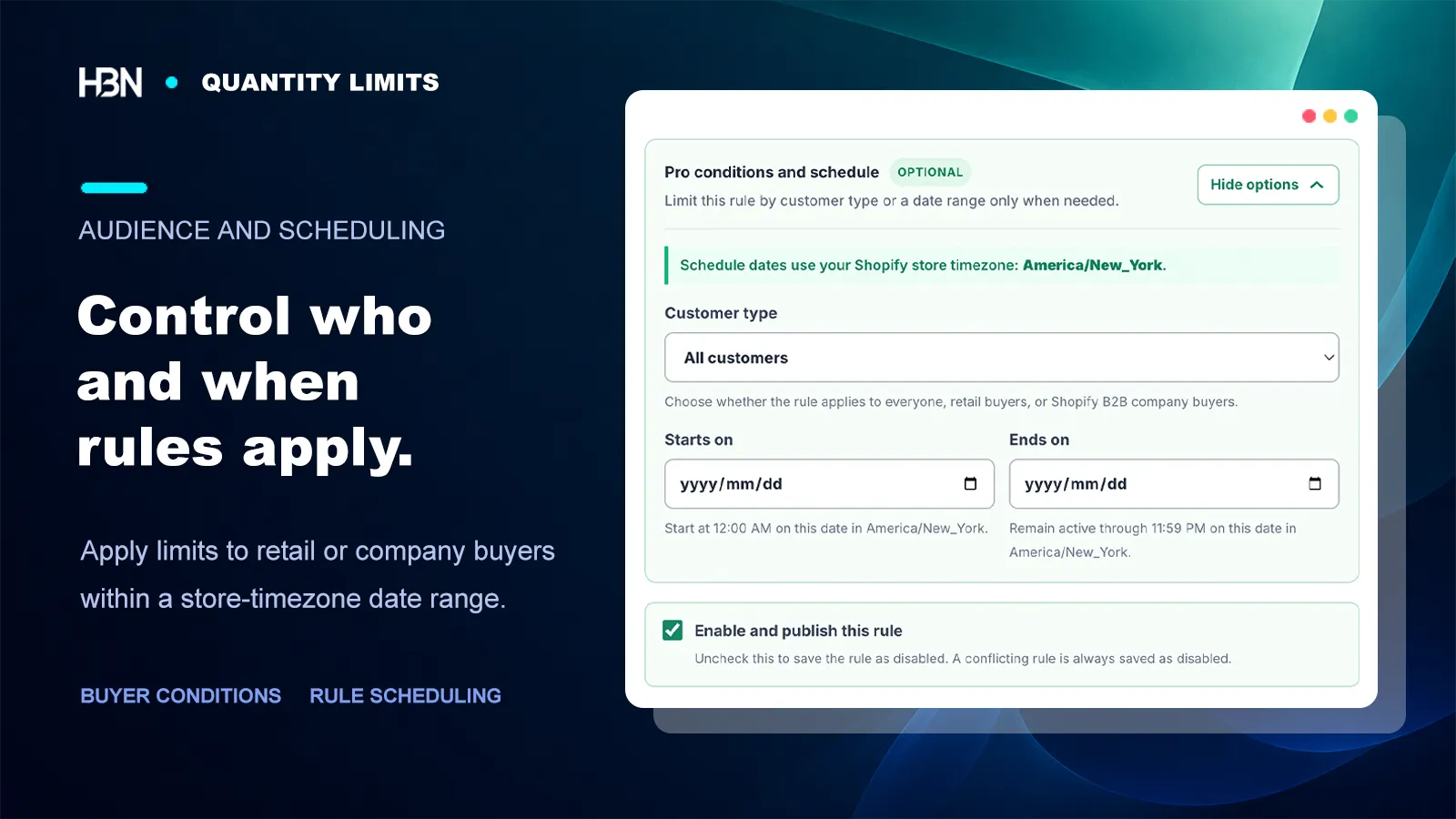
A retail cap and a wholesale case-pack requirement may both be reasonable, but they are not interchangeable. Pro can apply a rule to all customers, retail buyers, or Shopify B2B company buyers, and can activate it for a store-timezone date range. Keep those fields empty when everyone should follow the same permanent rule; unnecessary conditions create more ways for a cart to miss the intended limit.

Pro quantity rule conditions for customer type and a store-timezone start and end date
Use buyer and date conditions for a real exception, not as default paperwork.

Test the wrong quantities on purpose

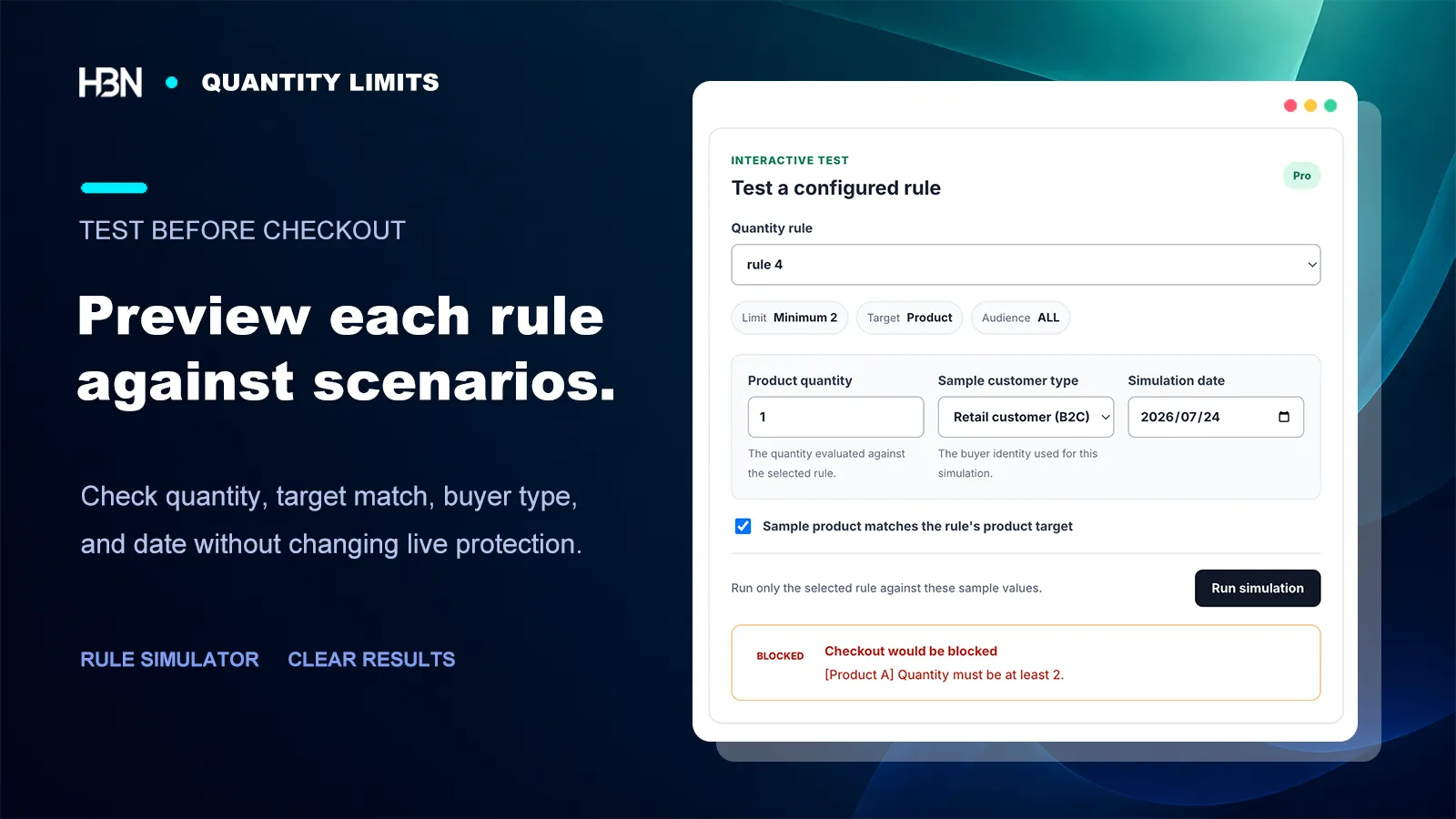
A rule is not ready because one allowed quantity passed. Try the values immediately below and above the boundary, a matching and non-matching target, each relevant buyer type, and dates inside and outside a schedule. The Pro simulator checks those inputs without changing live protection; a storefront and accelerated-checkout test should still be part of launch.

Quantity rule simulator testing a product quantity, retail customer, target match, and date
A useful test asks whether the rule blocks the exact scenario you expect.

Free or Pro?

Upgrade when one product rule stops describing the job.

The Free plan handles a complete, focused use case. Pro is for stores that need several targets, audiences, schedules, or pre-launch tests.

Free — one active product rule

Set a minimum, maximum, or required multiple for one product and all its variants. Show automatic English guidance on product and cart pages, with Shopify Functions enforcing the rule at checkout.

This is enough for one case-packed item, limited product, or minimum-order requirement.

Pro — broader catalog and buyer control

For $3.99 per month, use up to 30 active rules; target products, variants, collections, or all products; add B2B/B2C conditions, schedules, supported message languages, conflict checks, and the rule simulator.

Pro becomes useful when different parts of the business need genuinely different quantity policies.

Make the valid quantity clear before checkout.

App Store availability will follow publication.

Coming soon on Shopify