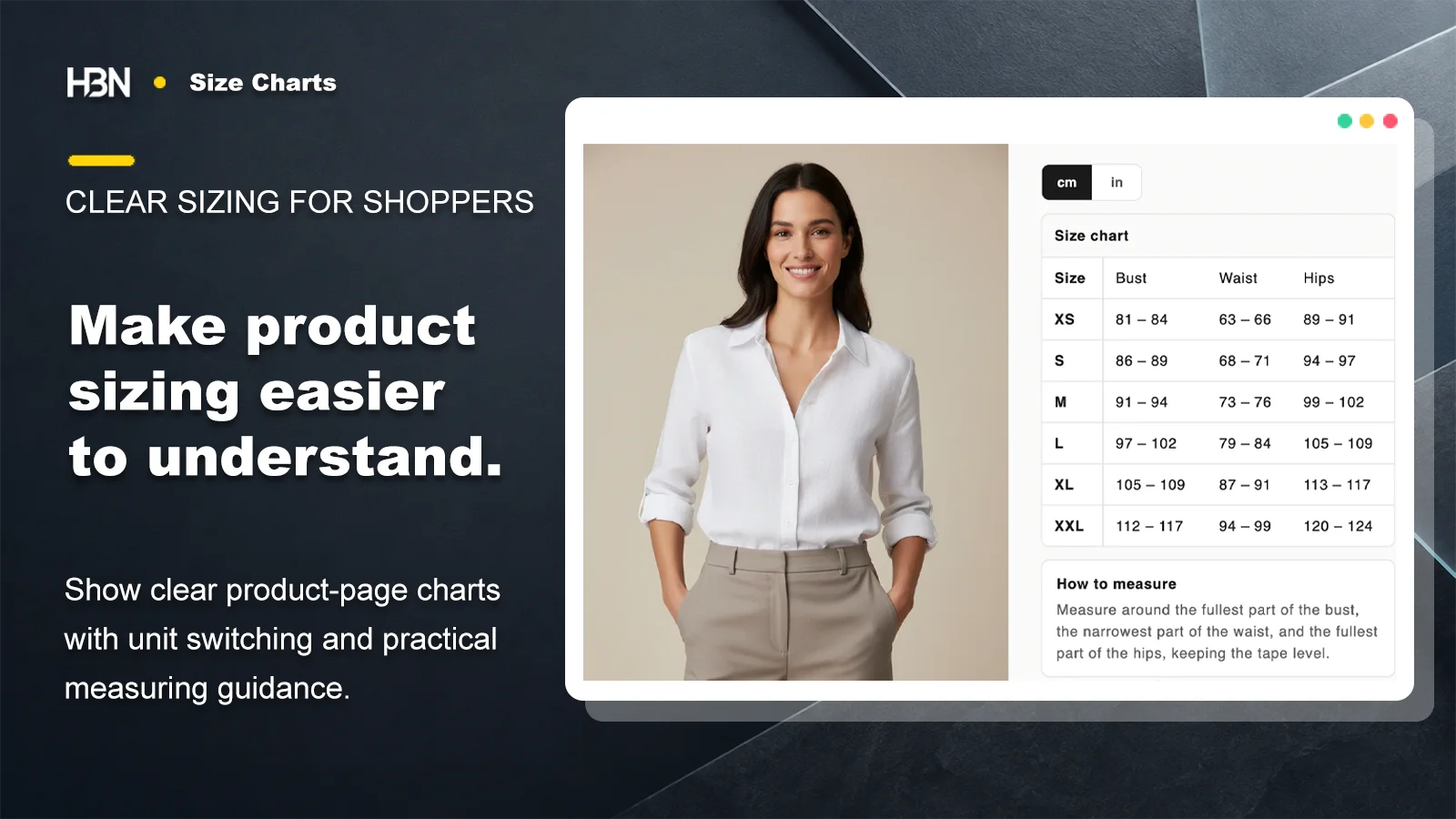
Put the right measurements beside the product decision, with clear tables, centimetre and inch switching, and predictable chart assignment across the catalog.
Coming soon on Shopify
A table is only useful when it means the right thing
The first sizing decision happens before a shopper reads a number.
A size marked M can describe a body, a finished garment, a shoe, or a piece of equipment. If the chart does not say which one, accurate measurements can still lead to the wrong choice.
HBN: Size Charts gives each chart its own title, introduction, measurement guide, units, columns, and rows. Start with the language the supplier or pattern actually uses, then label it plainly. A short “How to measure” note often does more work than another column of numbers.
My rule of thumb: define the measurement before converting it.
Bust width measured flat is not the same thing as body circumference. Unit switching can translate a number; it cannot repair an unclear measuring method.
Keep the storefront choice close to the variant choice
Add the theme block where shoppers compare sizes. Show the full table inline when it is short and central to the purchase, or use a labeled button and popup when the product page needs to stay compact. Styling controls keep the table legible without turning it into a second visual system inside the theme.
Build from the measurements you trust
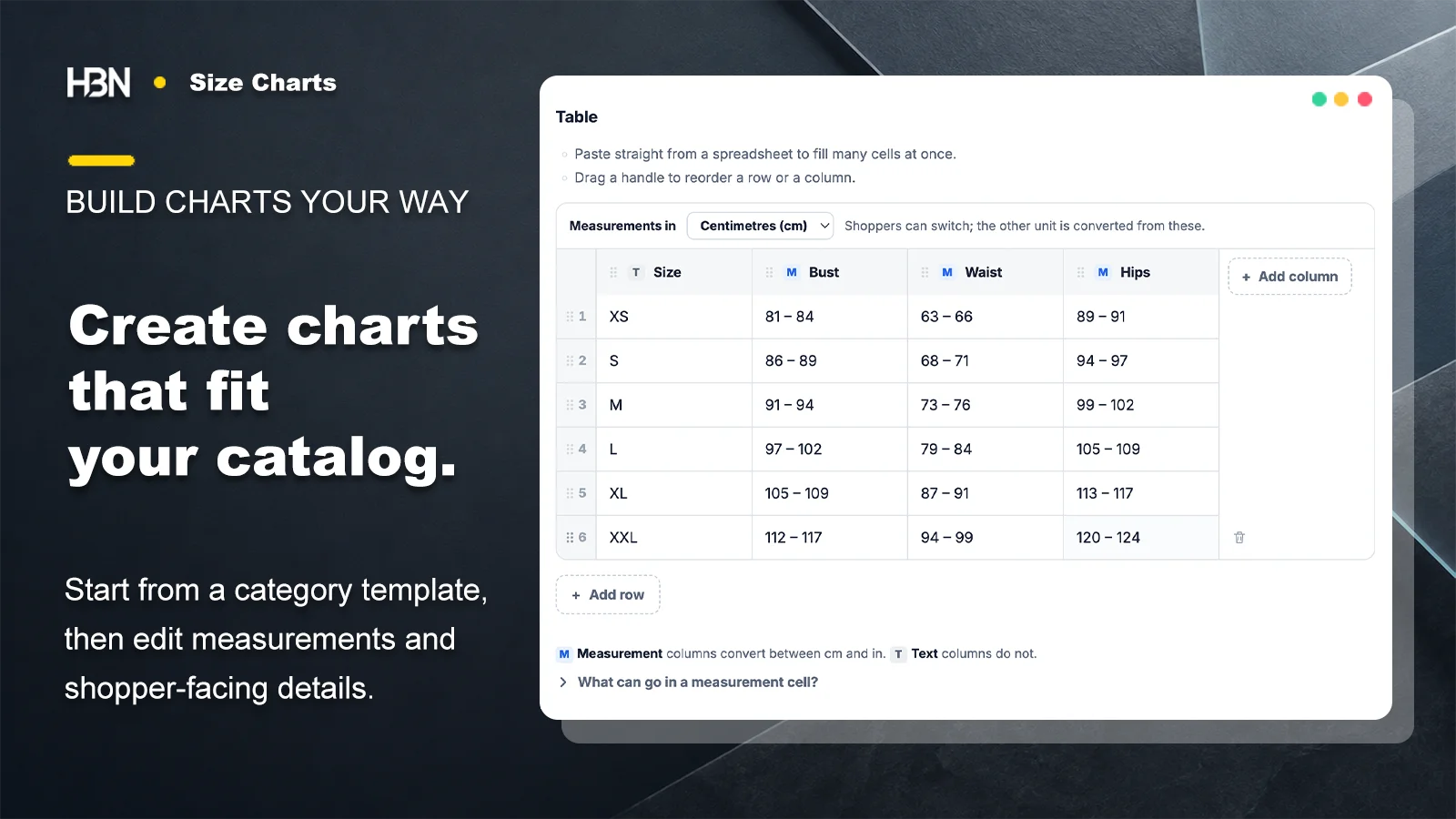
Start from a category template or build the table yourself. Measurement columns convert between centimetres and inches; text columns keep labels such as XS, EU 38, or Wide exactly as entered. Paste a group of cells from a spreadsheet, then reorder rows and columns until the table follows the way a shopper compares sizes.
The useful distinction is not how many columns a chart has. It is whether each column helps someone choose. A measurement guide can explain tape position and fit preference without making the table wider.
Enter one trusted set of measurements; the shopper can switch units on the product page.
Treat chart assignment as part of product data
A store-wide chart is sensible when every item follows one sizing system. Once dresses, shoes, unisex tops, and different vendors use different scales, the important question becomes which chart wins on each product.
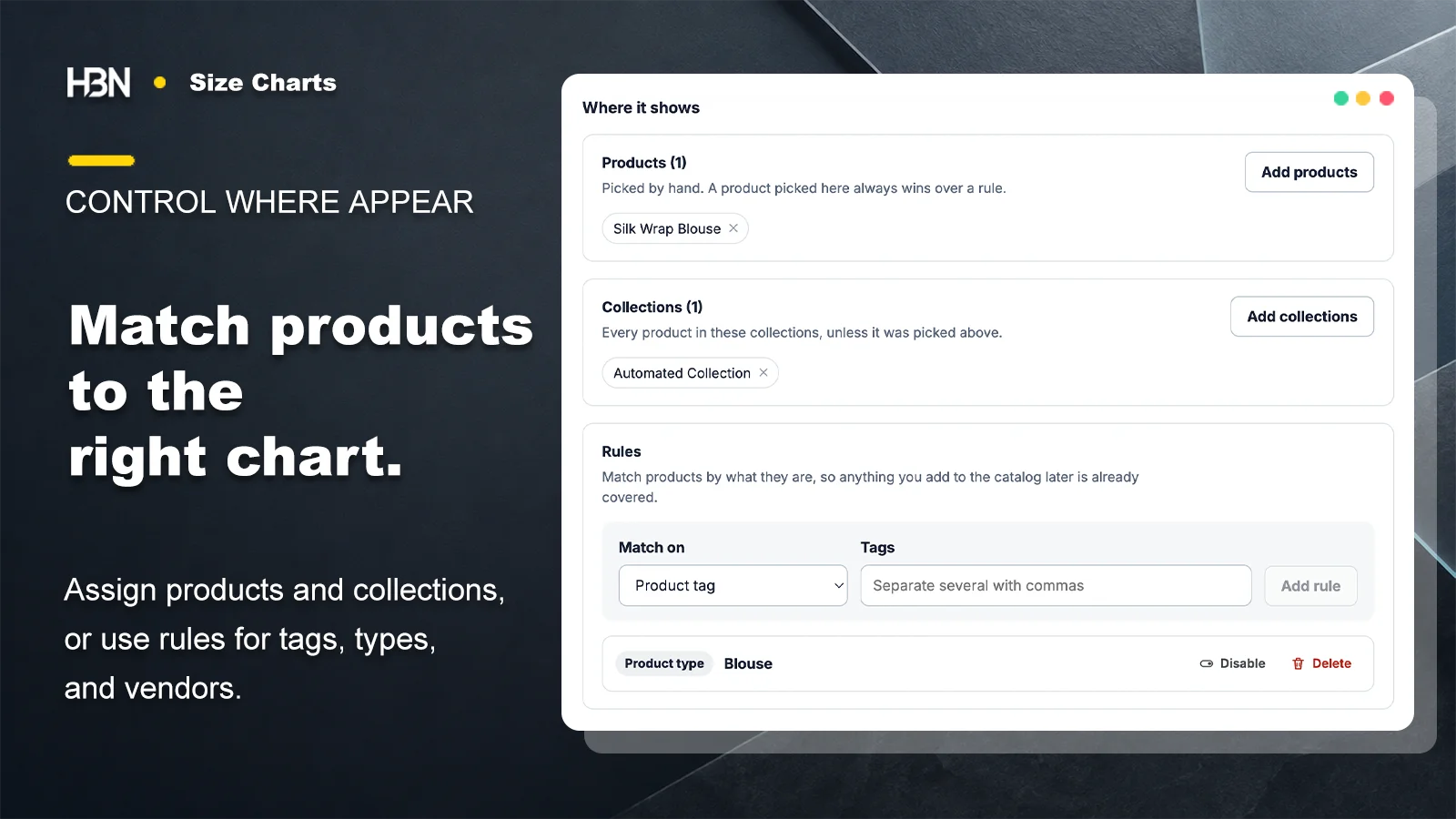
Assign a chart to an exact product for a deliberate exception, or to a collection for a maintained group. Pro rules can follow product tags, product types, or vendors as the catalog changes. The matching order is fixed: exact product first, then assigned collections, then the first Pro rule that matches, and finally the store-wide chart.
Manual assignments handle known groups and exceptions; ordered rules cover the catalog that arrives later.
Test the winner, not only the rule
Overlap is normal. A blouse may belong to a womenswear collection, carry a petite tag, and come from a vendor with its own scale. What matters is whether the intended chart wins for that actual product.
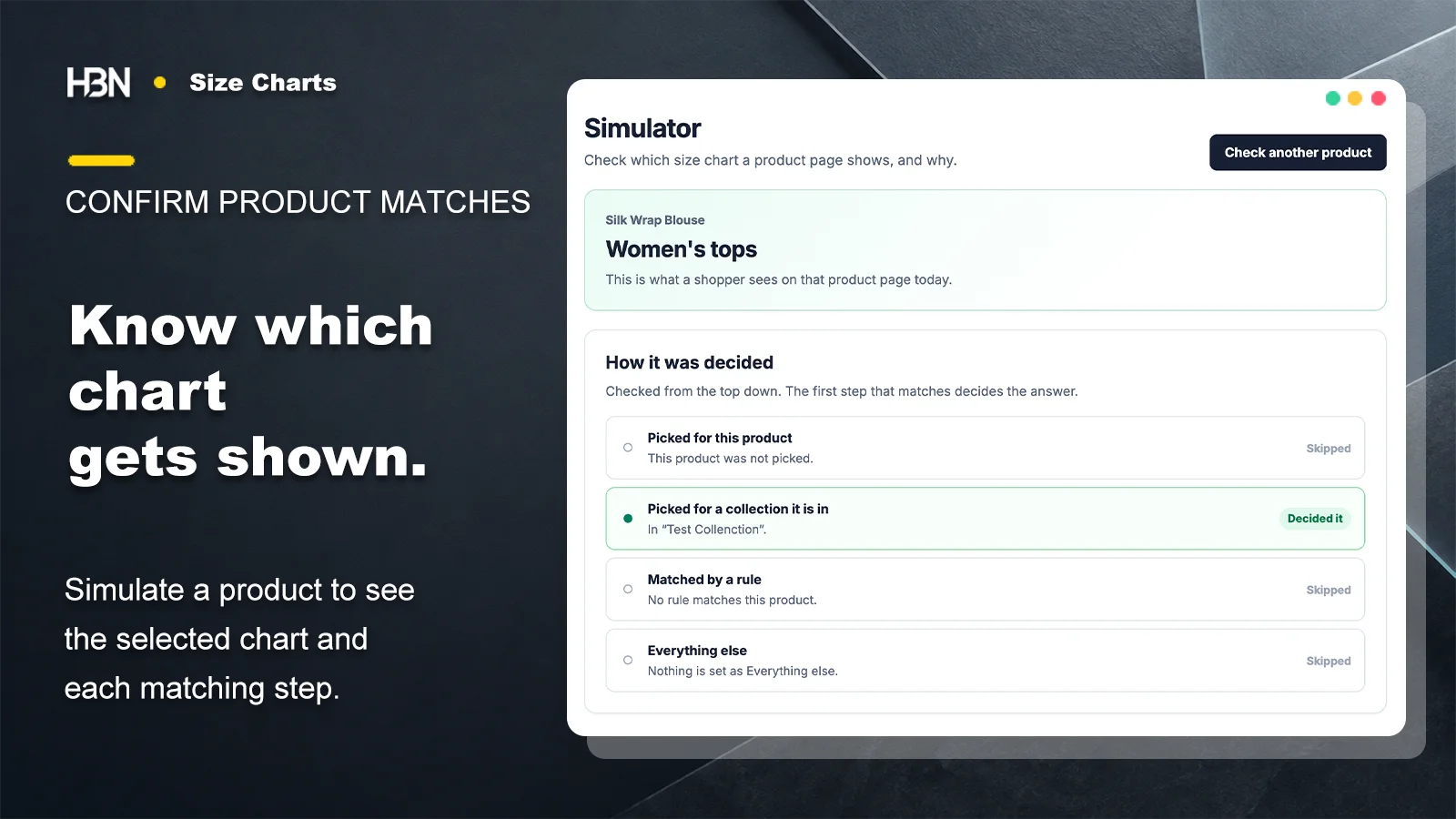
The Pro simulator walks through the same four matching steps as the storefront and shows what matched, what was skipped, and why. If no chart matches, the theme block renders nothing rather than leaving an empty heading or placeholder on the product page.
Check one representative product and read the complete decision path before publishing a broad rule.
Let assistance stay inside the merchant's chart
Pro can add a size finder that compares shopper measurements with the ranges already published in the table. It points to a matching row when the measurements agree and says plainly when no single size covers them. It does not predict body shape or invent sizing data, and the storefront does not send those measurements away for a recommendation.
Free or Pro?
Three charts cover a focused catalog. Rules earn their place when the catalog keeps moving.
Free is not a reduced storefront experience: charts have no watermark, and views and orders are not metered. Pro becomes useful when maintaining the matches takes more time than maintaining the measurements.
Current plan pricing will be published on the Shopify App Store listing when the app becomes publicly available.
Free — three complete charts
Build up to three full charts with headings, notes, a measuring guide, centimetre and inch switching, popup or inline placement, and manual product and collection assignments.
This is enough for a focused catalog with a few stable sizing systems and exceptions the team already knows.
Pro — a sizing system for a changing catalog
Add unlimited charts, ordered assignment rules, the shopper-side size finder, CSV import and export, translated tables, and the matching simulator. A 7-day trial is available.
Upgrade when tags, product types, vendors, languages, or spreadsheet workflows make manual chart maintenance the fragile part of the job.
Make the next size decision easier to explain.
The app is not publicly available yet. Listing details will be added at launch.