← All HBN Apps

HBN: Estimated Delivery Date

Answer “when will it arrive?” while the customer is still on the product page, with an estimate that follows the way your store really processes and ships orders.

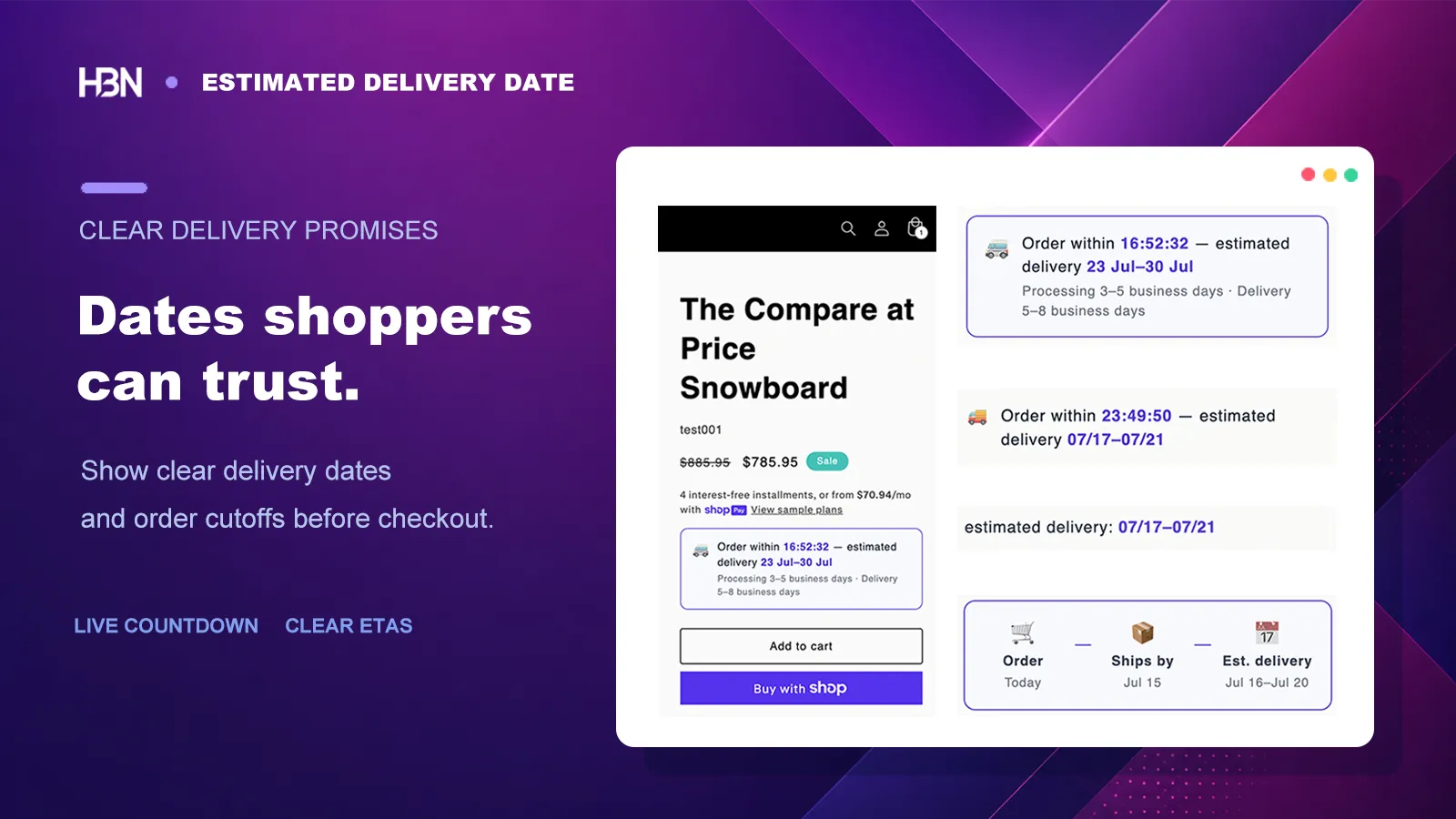
Estimated delivery date blocks on a Shopify product page

Before the customer asks “when?”

A delivery date is part of the product decision.

Shoppers rarely think in “two business days of processing plus three to five in transit.” They want to know whether the parcel should arrive before a birthday, a trip, or next weekend.

If that answer is missing, the customer either asks support, postpones the purchase, or makes an optimistic guess that becomes your problem later. A useful estimate moves the calculation onto the product page, while there is still time to set the right expectation.

01Order placedMonday, 2:30 PM
02Processing2 business days
03Transit3–5 business days
04Shown to shopperArrives Jun 10–12

The estimate has to be believable.

A date that ignores weekends, warehouse cutoffs, or a holiday is worse than no date: it creates a promise the operations team never made. Start with the simplest rule that reflects how the store actually fulfills an order.

Build the baseline from work your team really does

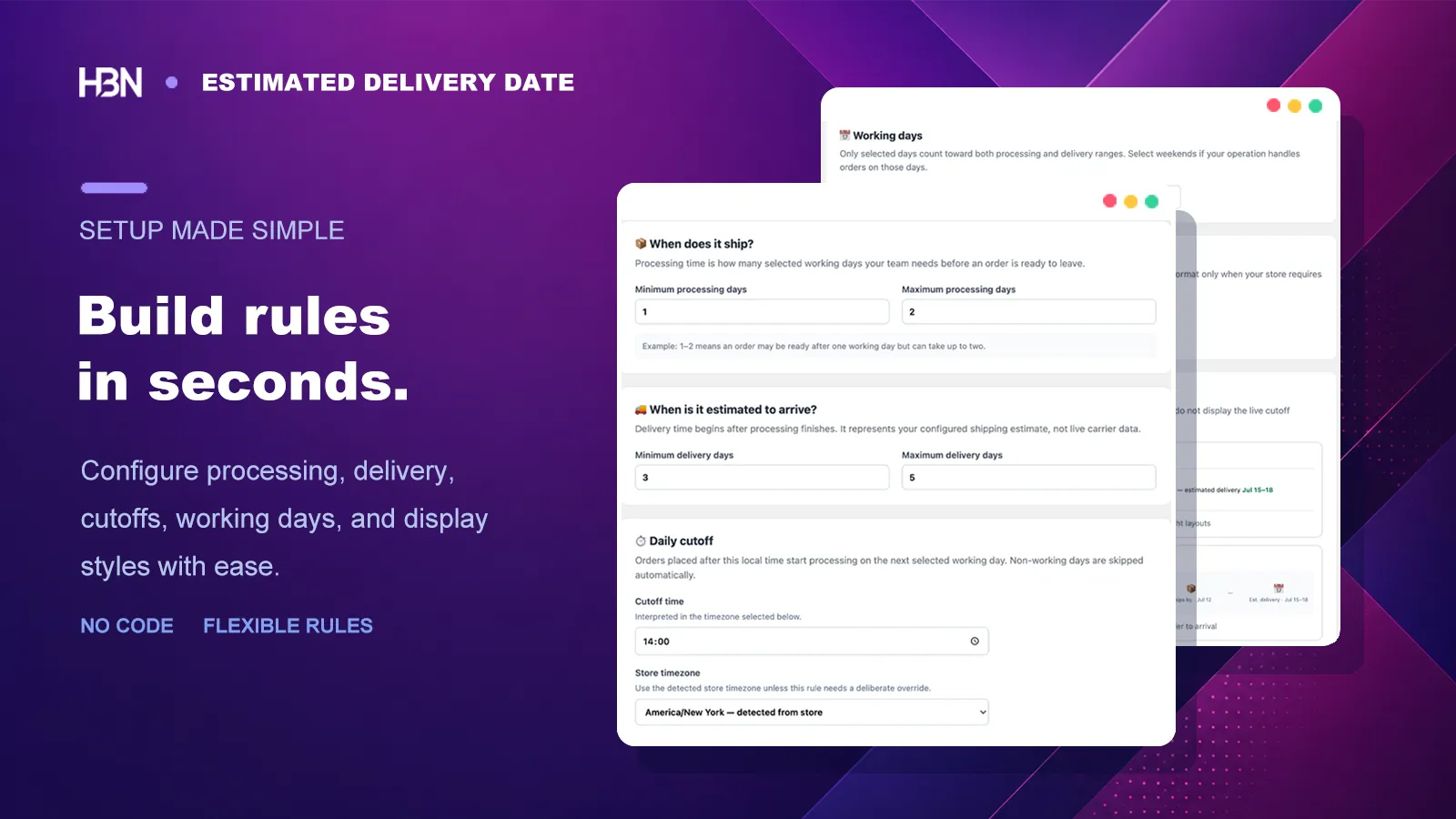
I would resist the urge to begin with every exception. Enter the normal processing window, transit window, and working days first. Add the daily cutoff so an order placed late in the day does not appear to start moving immediately. The app combines those inputs into a customer-facing range and uses the visitor's locale and date format automatically.

Delivery rule builder with processing, transit, cutoff, and working-day settings
One rule can describe the normal fulfillment path for the whole store.

Say enough on the product page—then stop

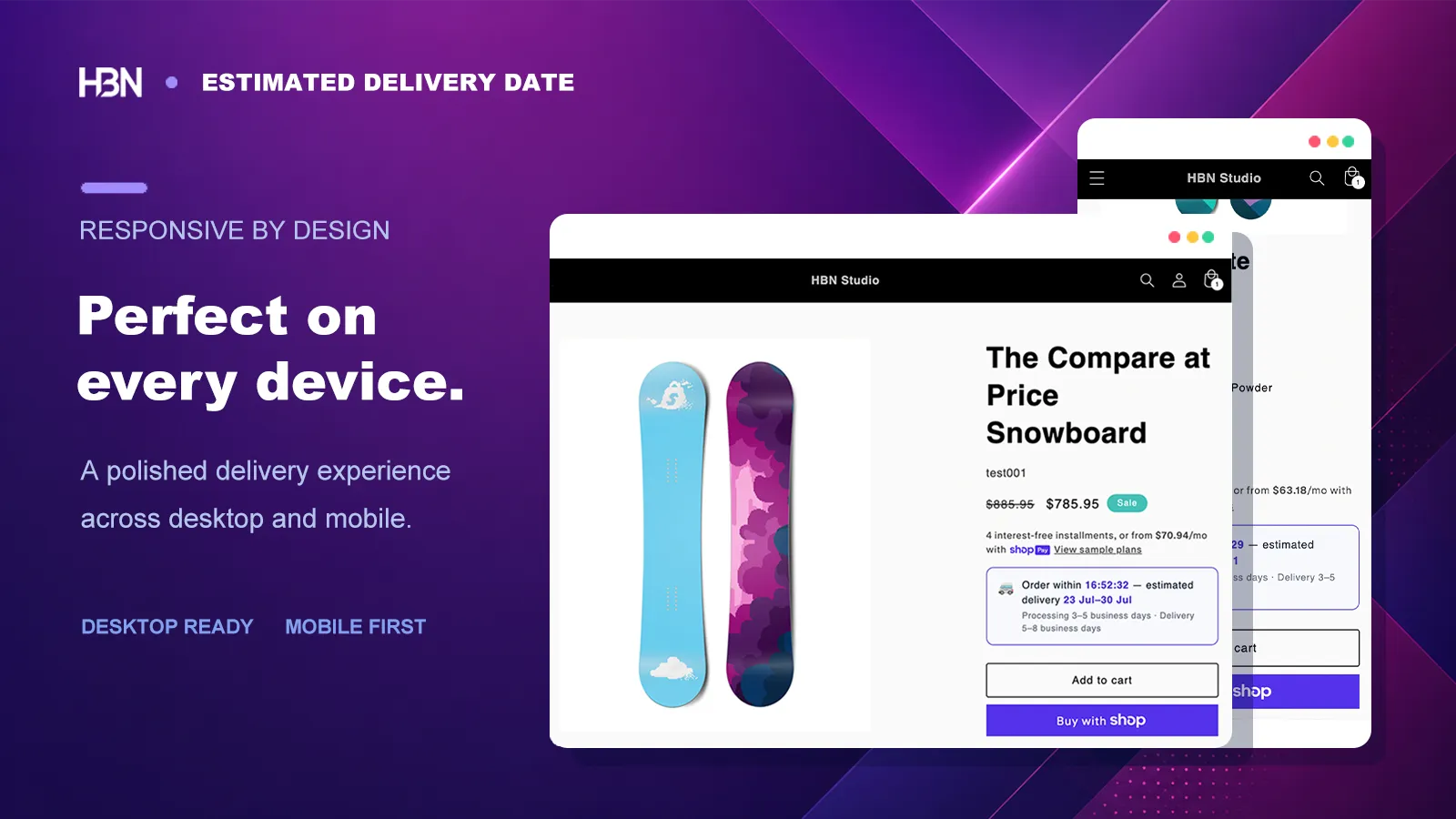
The storefront block should answer the question, not explain the calculation. Choose one of the templates, write a short message, and adjust color, type, spacing, and alignment so it sits naturally near the buying controls. It remains responsive without a second mobile configuration.

Estimated delivery block appearance controls and storefront preview
The customer sees a useful date range; the operational detail stays behind it.

Use exceptions for actual exceptions

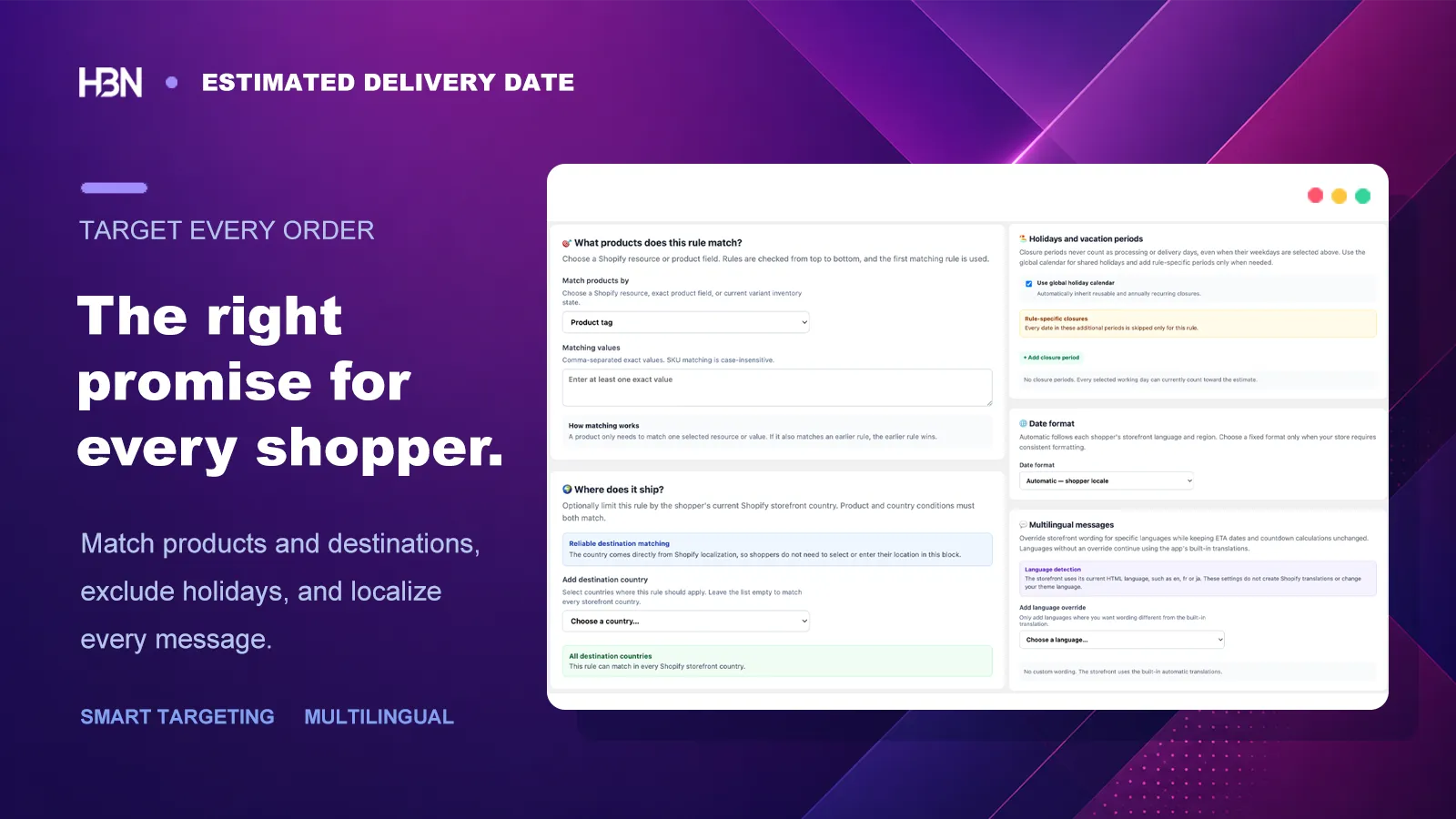
A made-to-order item, an out-of-stock variant, or a country served by a slower route should not inherit an inaccurate storewide promise. Add a more specific rule for that case and keep the baseline as the fallback. It is easier to trust three rules you understand than twenty rules added “just in case.”

Rules can match products, variants, collections, SKUs, vendors, product types, tags, inventory status, and storefront country. Reusable holiday calendars keep closed dates out of several rules; the simulator shows which rule wins and what a shopper will see.

Product, inventory, and country targeting for delivery estimates
Add precision where fulfillment differs, not everywhere by default.

Free or Pro?

The dividing line is operational complexity.

A single, honest storewide promise is valuable. Upgrade only when different products or markets genuinely need different answers.

Free — one dependable storewide rule

Combine business days and a daily cutoff in one product-page ETA rule, choose from four templates, and show localized date formatting with unlimited storefront views.

This fits stores whose products follow roughly the same fulfillment schedule.

Pro — different promises for different situations

Use up to 20 rules, target variants, inventory and countries, reuse holiday calendars, translate messages, simulate rule matches, and contact the developer directly.

Pro includes a 7-day trial, so a complex setup can be checked before committing.

Put a credible answer beside the buy button.

Start free with one storewide delivery rule.

View on Shopify ↗