← All HBN Apps

HBN: Discount Floor Guard

Run promotions without discovering too late that a sale price, automatic offer, and discount code combined below the boundary your business can accept.

Shopify App Store review in progress
Checkout messages that protect minimum prices, discount limits, product variants, and countries

When two valid discounts make one bad price

The promotion worked. The margin did not.

A sale price, an automatic promotion, and a customer code can each be correct on their own. The costly surprise is the final price they produce together.

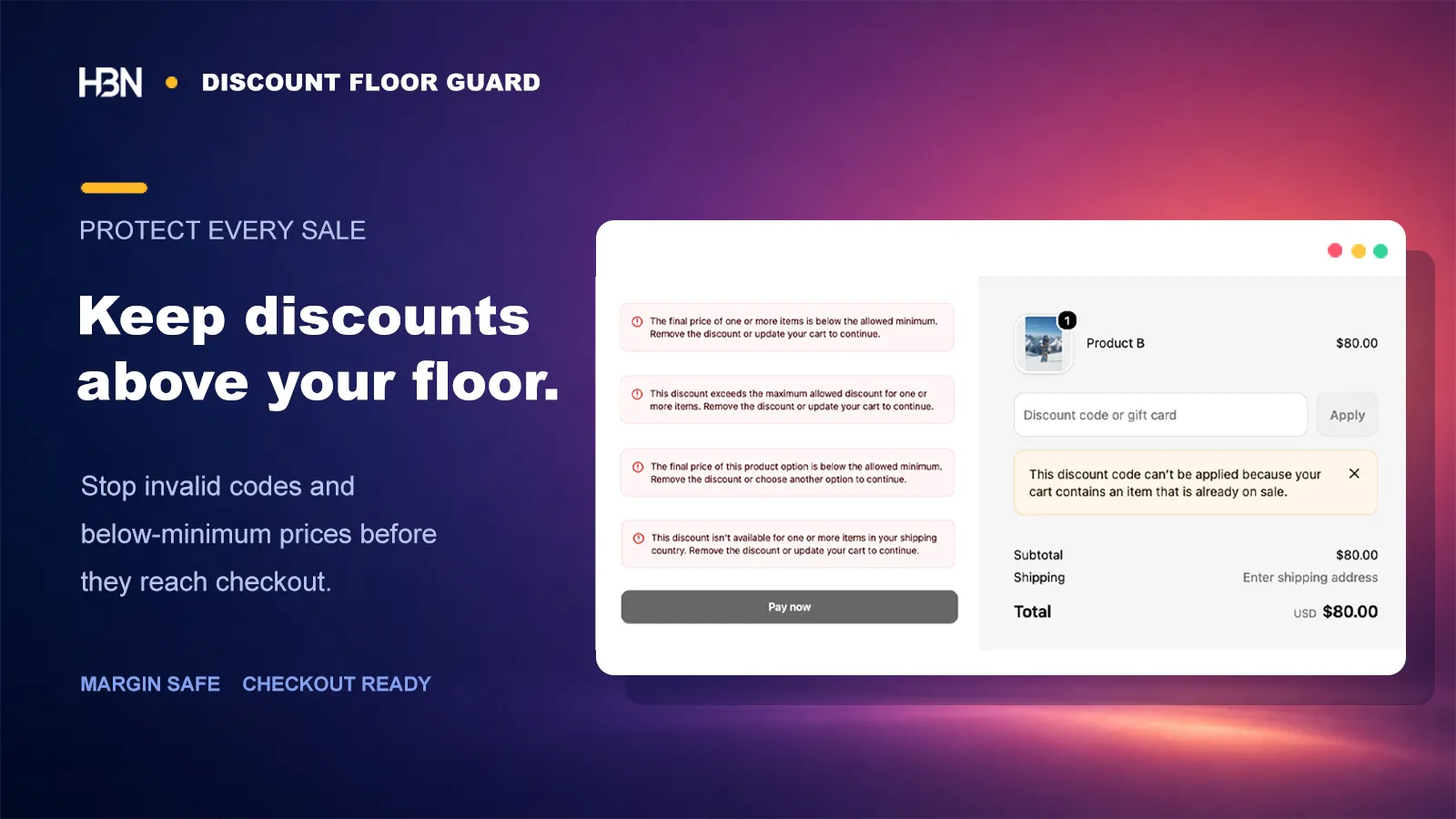
Theme warnings are not a dependable safeguard: checkout can be reached from several paths, and the price needs protection where Shopify evaluates the cart. Discount Floor Guard is designed to enforce the boundary in cart and checkout, while leaving the store's normal promotion workflow in place.

Sale price$48Code applied−20%Final price$38.40 · blocked

Write the pricing policy as a boundary

“Do not discount sale items again” is one boundary. “Never sell this variant below $40” and “do not exceed 25% off in total” are two others. Keep them separate. It is a slightly more boring setup, but six months later it will still be possible to see which business decision each rule protects.

A rule can protect the whole relevant catalog or narrow the scope to products, variants, or collections. Country, customer tags, and Shopify B2B status handle legitimate exceptions without weakening the policy for everybody else.

Keep the rule list readable to someone who did not build it

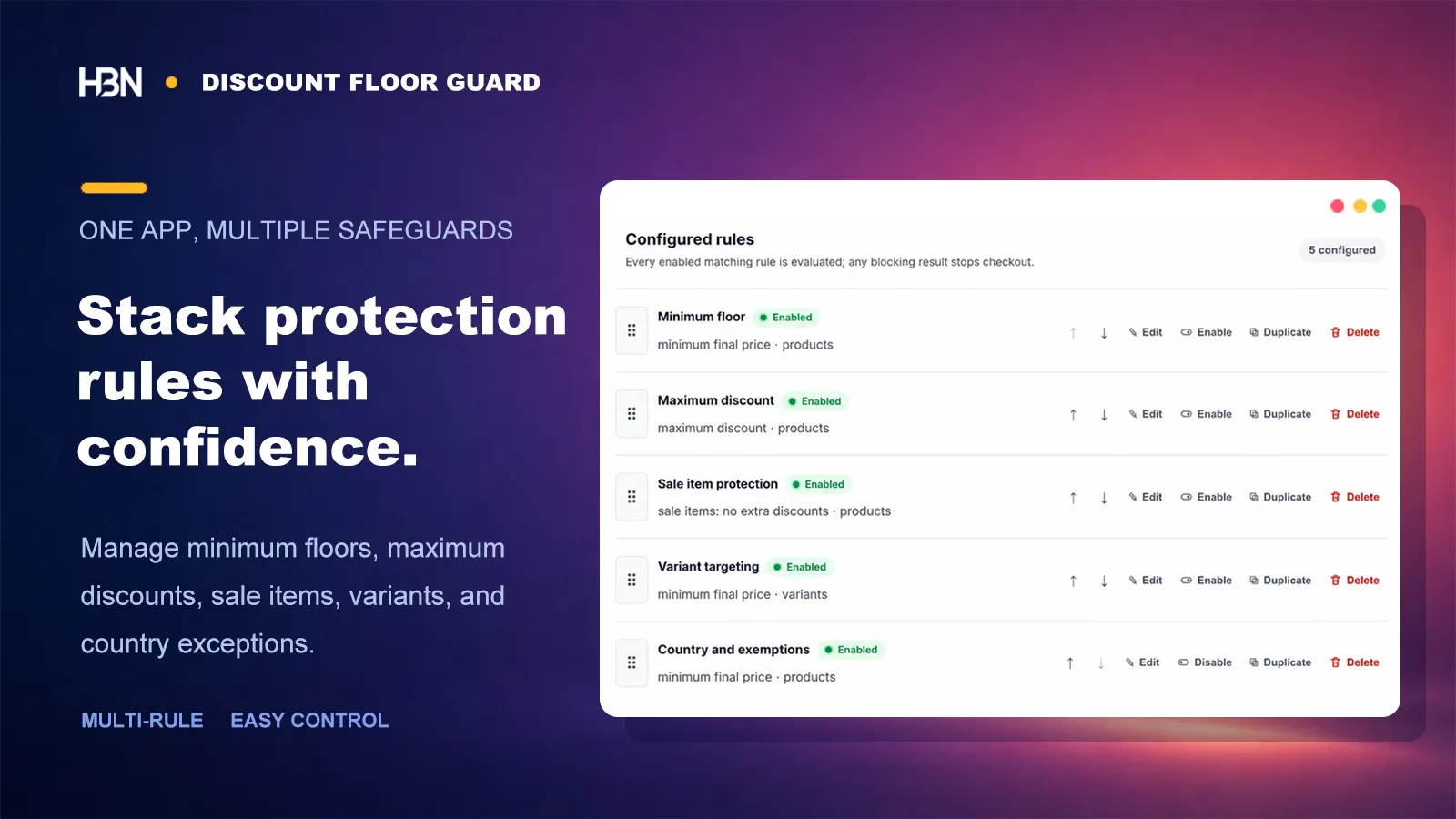
Name rules after the policy they protect, then arrange priority deliberately. A seasonal exception can be duplicated and adjusted; an old campaign can be paused without deleting the underlying setup. This turns the app into a record of pricing decisions, not just a collection of switches.

Discount safeguards organized by priority and status
Separate rules make different pricing policies easier to review and change.

Tell the shopper what to do next—not what your margin is

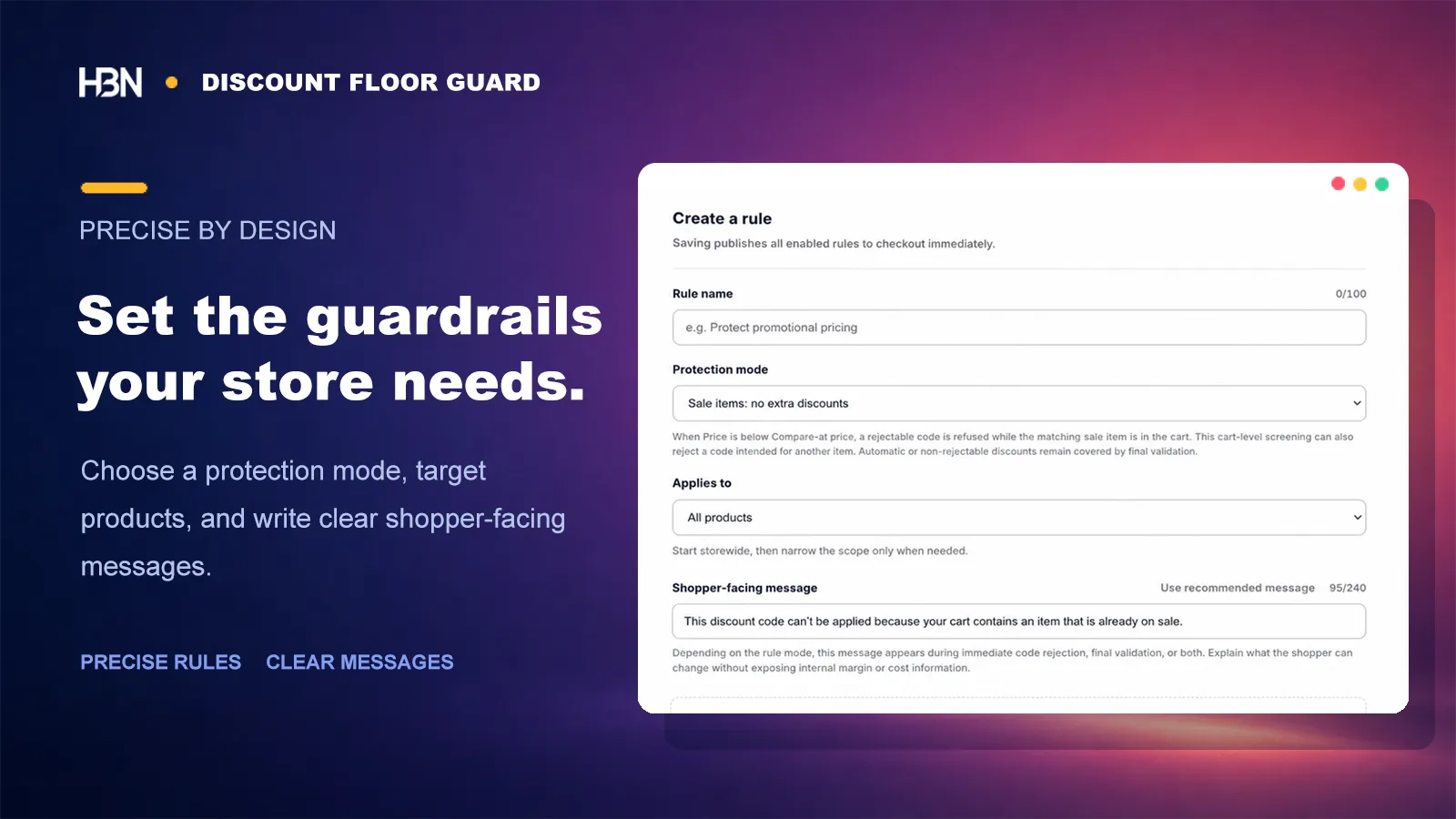
When a combination is blocked, the customer needs a useful next step: remove the code, change the item, or continue with the existing sale price. Write and localize that message in the rule. There is no reason to expose an internal cost or margin threshold.

Rule editor for price limits, scope, and shopper messaging
The internal boundary and customer-facing explanation are configured together.

Test the uncomfortable combinations before customers find them

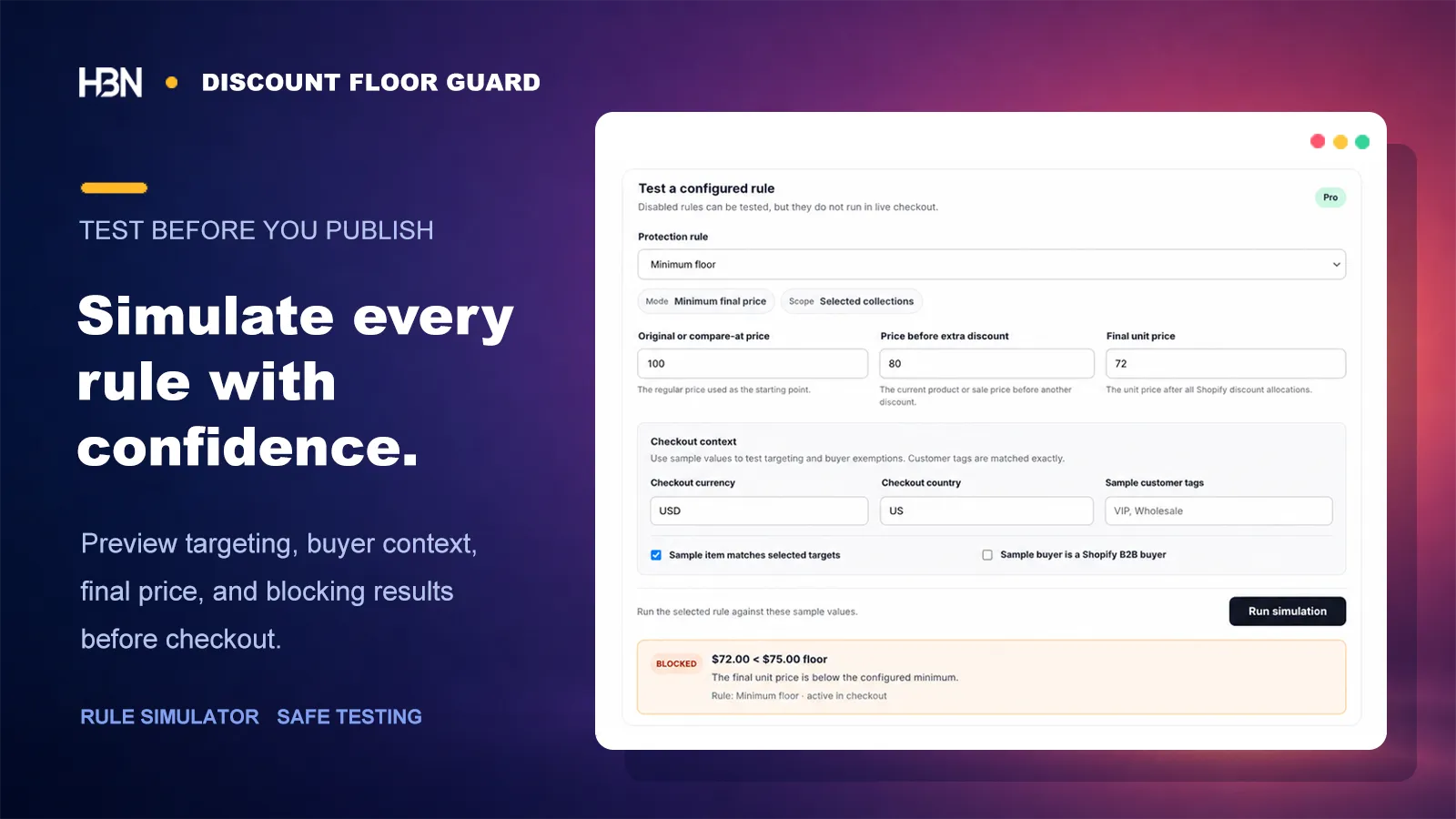
Use the simulator with regular, sale, and final prices, then add the country, customer tag, B2B status, and catalog match that could alter the outcome. Try the combinations you hope nobody uses—those are exactly the ones worth testing. A final live checkout test then confirms the complete store behavior.

Simulator showing a final price blocked below its configured floor
A rule should be explainable with an example before it is trusted with a campaign.

Launch and plans

Pricing will be published with the App Store launch.

Discount Floor Guard is still in Shopify App Store review, so we are not presenting an unconfirmed Free or Pro boundary here. The launch listing will state exactly which safeguards belong to each plan before a merchant installs or pays.

Protect the price the customer actually pays.

Availability and plan details will follow App Store approval.

Coming soon on Shopify