← All HBN Apps

HBN: Catalog Findability

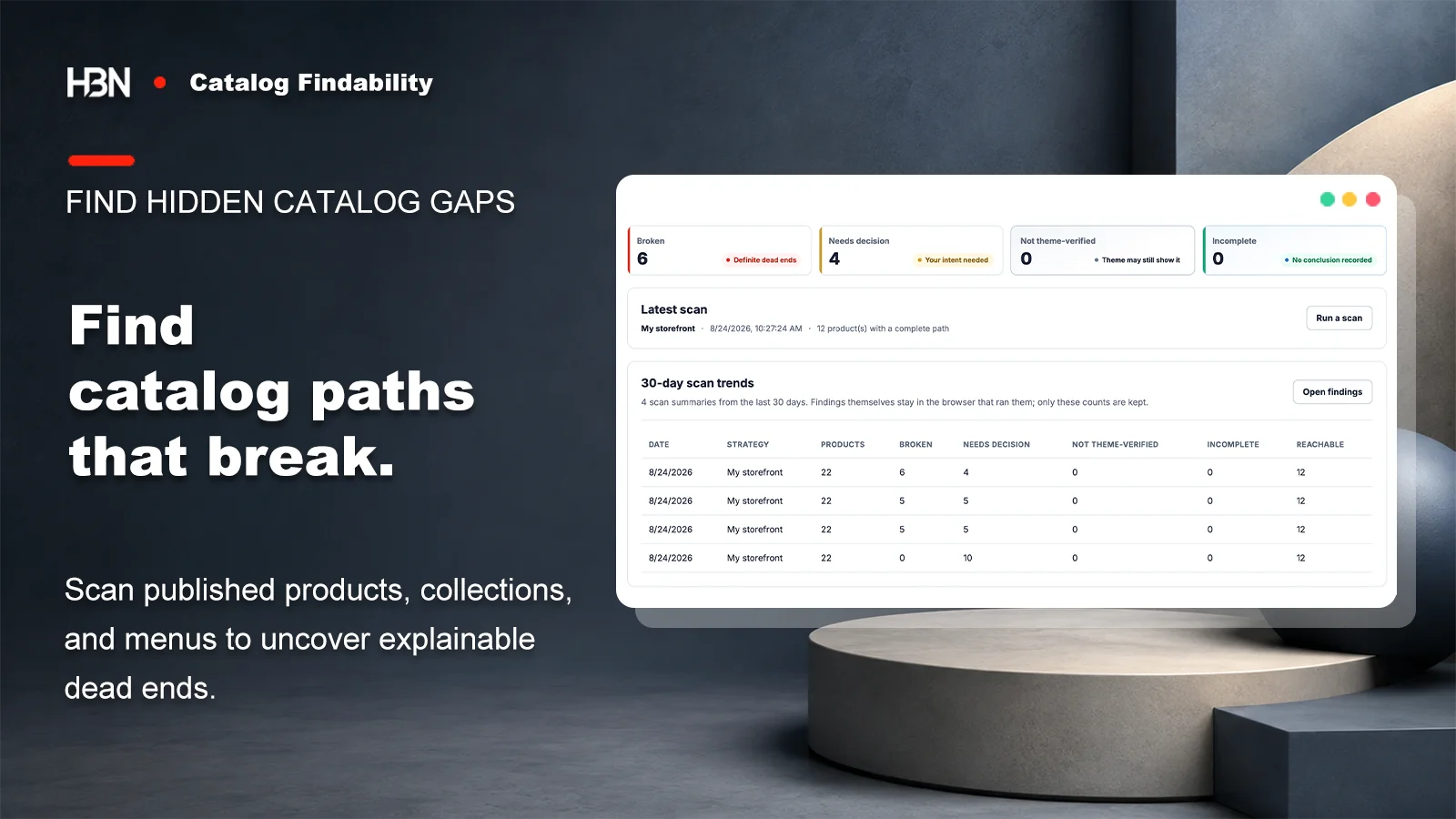
Trace published products through collections and the menus shoppers use, then see which paths are complete, uncertain, or definitely broken.

Catalog Findability dashboard showing broken, needs-decision, not-theme-verified, incomplete, and reachable scan results

Published is only the first step

A product can have a page without having a route.

A bulk import finishes, every product is Active, and every record is published to the Online Store. Weeks later, somebody notices that a whole supplier range never appears while browsing the catalog.

The product page exists. The missing piece is the path around it: the product may belong to no collection, sit only in an unpublished collection, or live in a published collection that none of the menus customers use can reach. HBN: Catalog Findability reads products, collections, publication state, and navigation together so each result arrives with the relevant evidence attached.

Absence from a menu is evidence, not always a defect.

A featured-collection section, storefront search, app block, or direct campaign link may still surface an unlinked collection. The app does not read theme code, so it labels that path Not theme-verified instead of calling it broken.

Define the storefront you are actually auditing

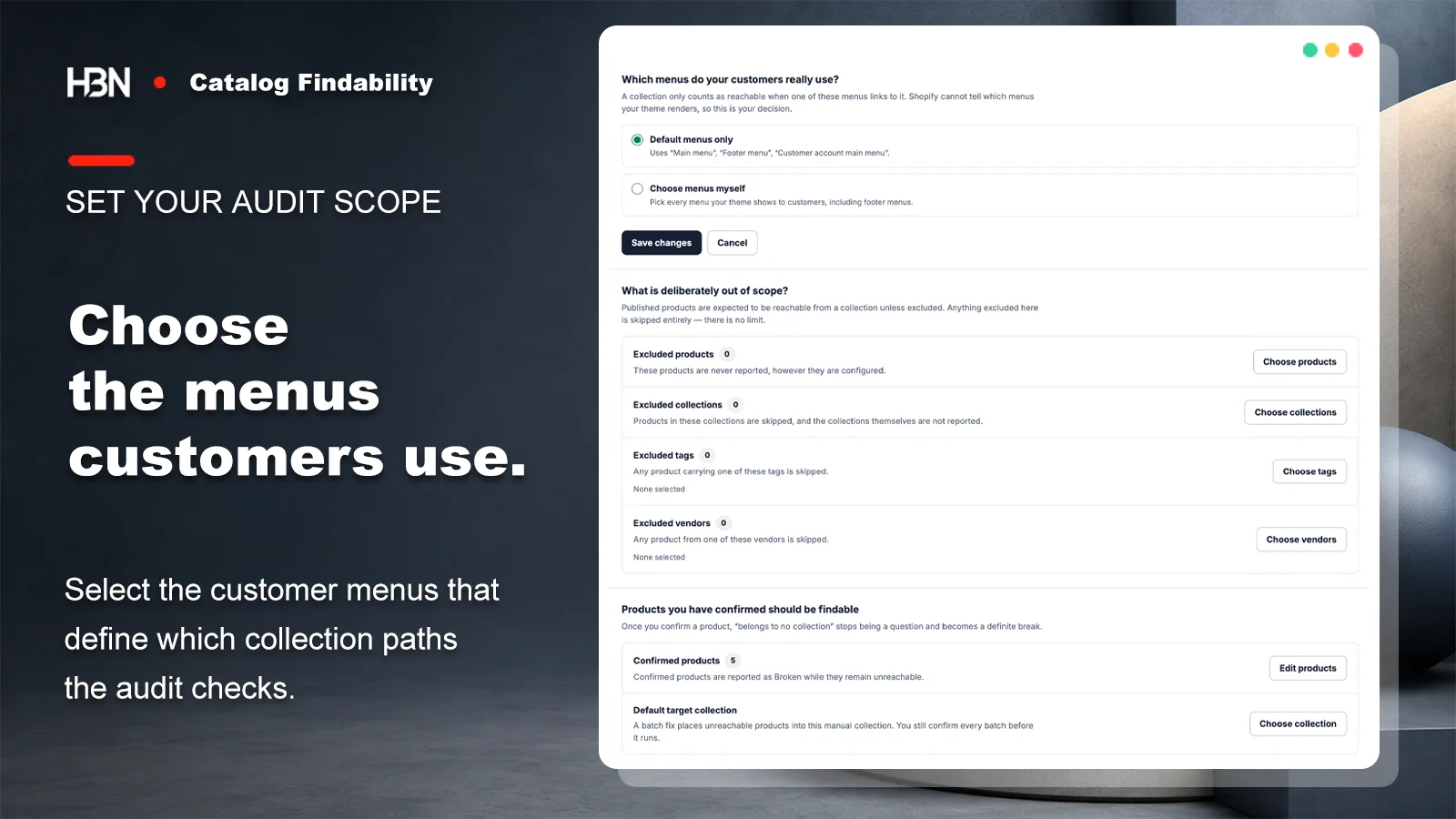
Shopify can hold more menus than a theme renders. Start with the default main, footer, and customer-account menus, or select the menus your theme really uses. Then exclude products, collections, tags, or vendors that are deliberately outside the browseable catalog.

Make merchant intent part of the audit

A published product in no collection is ambiguous. It might be an import mistake, or it might be a replacement part sold only through a support link. Confirm that a product should be findable and the same evidence becomes a definite break; exclude it and future scans leave it alone. That small decision keeps the queue useful.

Catalog audit strategy with default or selected menu scope, exclusions, confirmed products, and a target collection
Audit the menus shoppers really see, then state which catalog exceptions are deliberate.

Read the exact path that failed

Broken is reserved for a dead end Shopify data can prove: a menu target that is missing, an empty linked collection, an unpublished linked collection, or a product whose collections cannot provide a published path. Needs decision asks for intent. Not theme-verified marks a missing navigation path the app cannot settle without reading the theme. Incomplete means a supporting read did not finish, so no verdict is invented.

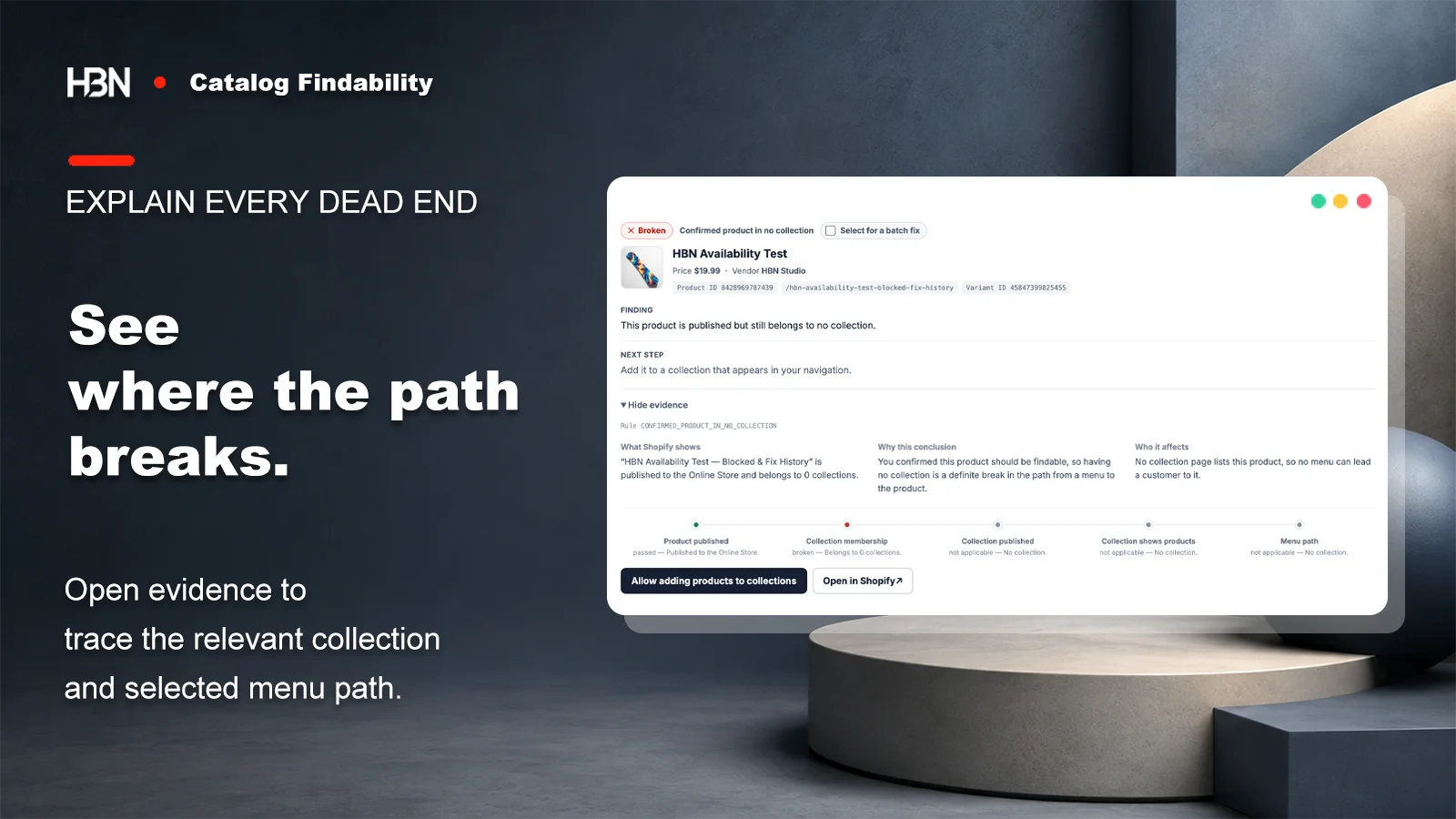
Open a finding to see what Shopify returned, why that supports the conclusion, who encounters the problem, and the sequence from product publication through collection membership to the selected menu. The app offers a deep link when Shopify Admin is the right place to finish the work.

Expanded catalog finding showing a published product with no collection, its evidence, and the broken path
A conclusion is useful only when the store owner can inspect the path behind it.

Keep repairs narrower than the diagnosis

The scan can uncover several kinds of gap, but the app writes only two controlled changes: publish a collection, or add a product to a manual collection. Each action starts with a fresh check and requires confirmation. Navigation edits, automated collection conditions, product publication, and theme changes stay in Shopify Admin.

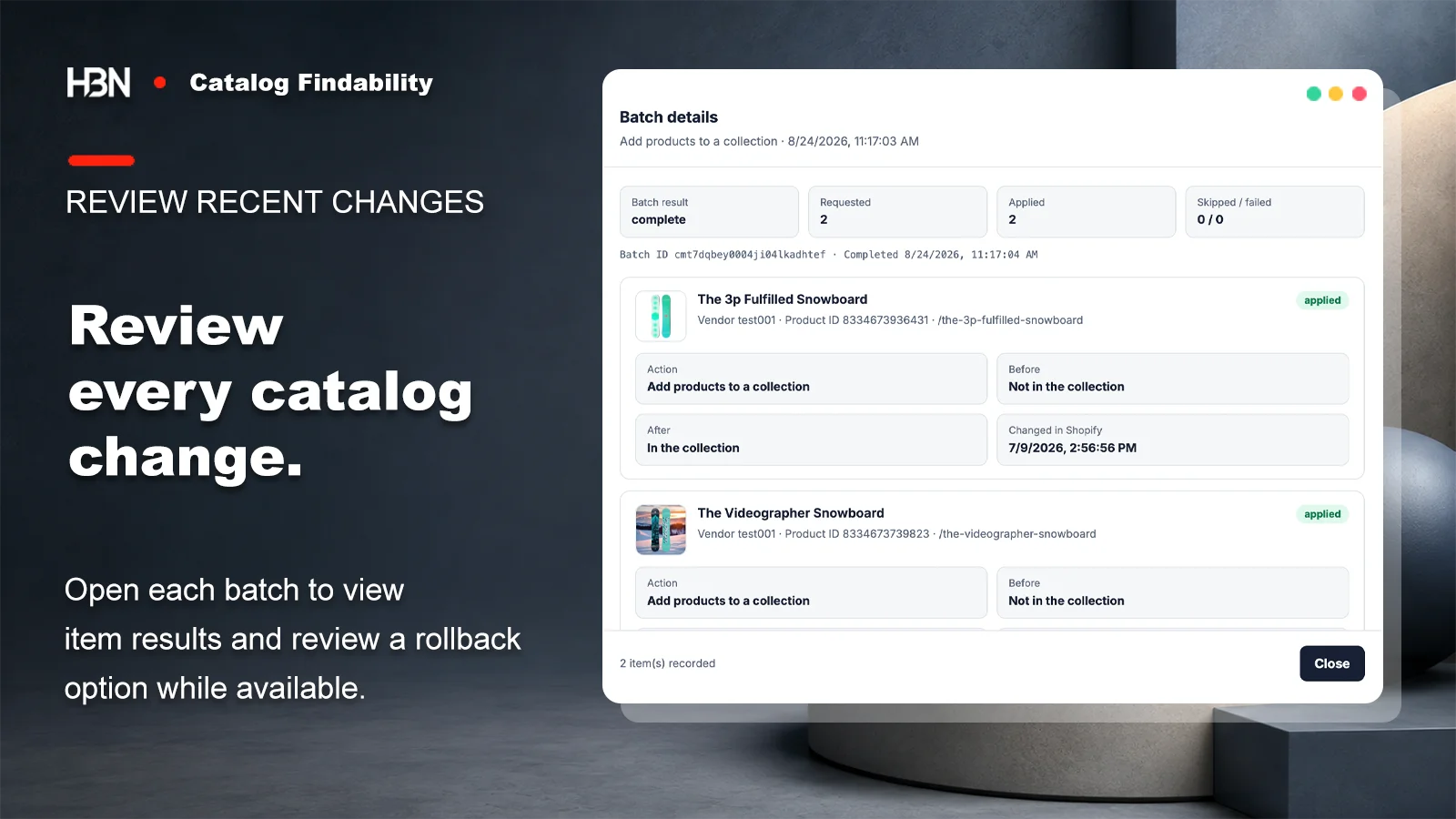
Pro turns repeated versions of those same approved actions into a reviewed batch. Every item is checked again, the exact result is recorded, and a recent batch offers a best-effort rollback only while Shopify still matches the state the app expects.

Batch change details showing products added to a collection and the recorded result for each item
Bulk work remains reviewable item by item instead of becoming an unexplained catalog rewrite.

Free or Pro?

Start with one complete storefront strategy.

Free scans the whole catalog without product, collection, menu, or scan-count limits. Pro is for teams that need several definitions of findable or too many confirmed repairs to handle one at a time.

There is no usage-based fee, so the audit does not get more expensive as the catalog grows. Current plan pricing is on the Shopify App Store listing.

Free — a complete catalog path audit

Keep one strategy, scan every published product, collection, and menu, inspect all evidence, export the findings, compare with the previous scan, and apply supported fixes one at a time.

This is enough when one storefront and one menu policy define what customers should be able to browse.

Pro — several strategies and batch repair

Add independent menu and exclusion strategies, reviewed batches, per-item fix records, 30-day scan trends, and time-limited best-effort rollback.

The trigger is operational repetition: different catalog paths to audit, or a long repair queue that should be previewed and handled together.

Find the route that ends before a shopper reaches the product.

Install free and scan every published product, collection, and selected menu without a catalog or scan-count limit.

View on Shopify ↗