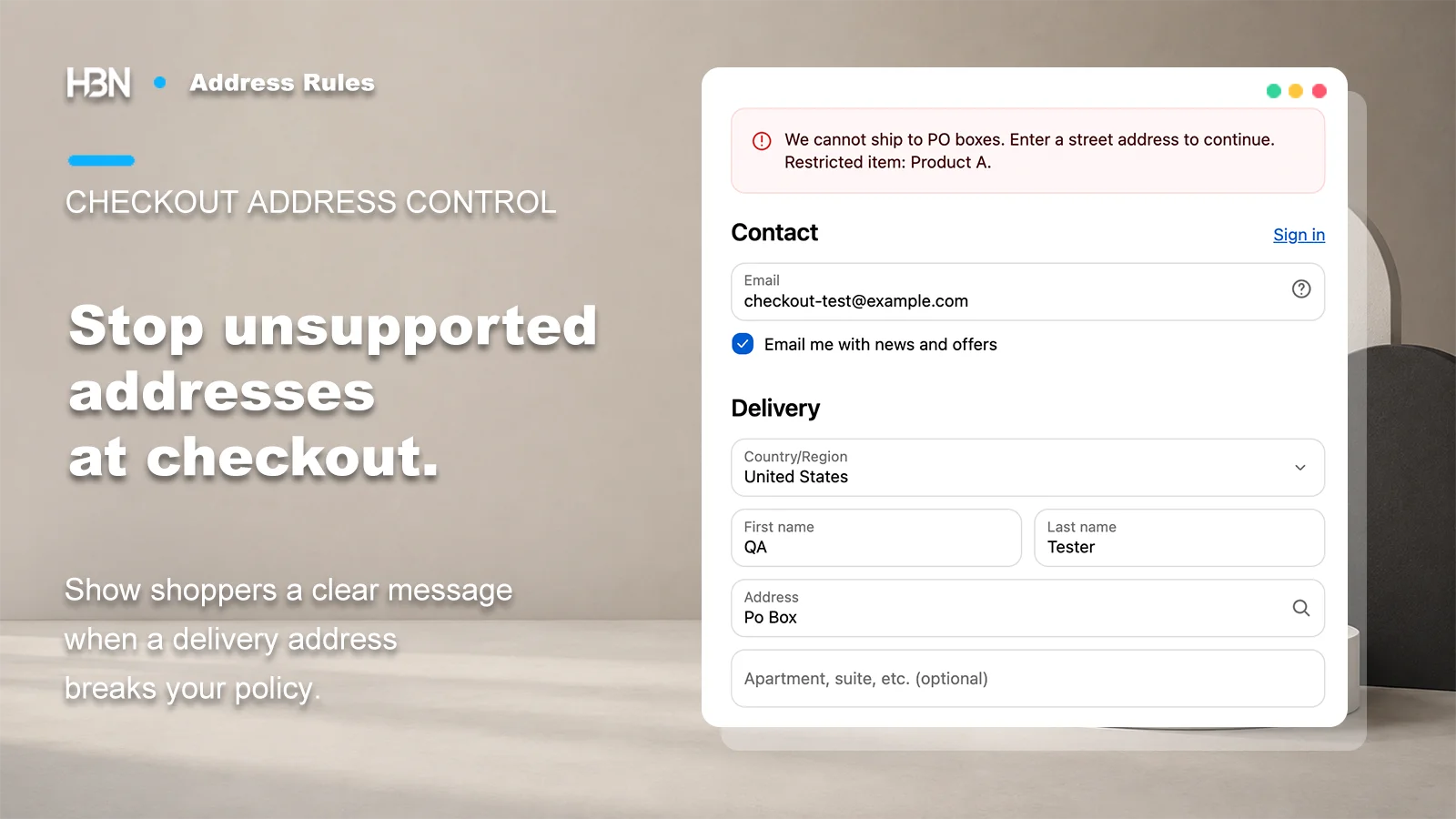
Block delivery addresses your store cannot serve, apply restrictions to the products that need them, and tell shoppers how to correct their address before completing an order.
Coming soon on Shopify
A real address can still be outside your delivery policy
Decide whether you can ship the order before accepting it.
A customer can enter a perfectly valid PO box that your fulfillment service cannot use. Correcting the spelling will not solve that problem.
The same mismatch appears when one product cannot go to a particular region, or when a postal area falls outside the service you offer. Discovering it after checkout means asking for another address or reconsidering the order. The useful rule expresses the delivery constraint while the shopper can still act on it.
Restrict only what you cannot fulfill.
If a restriction belongs to one product or destination, a whole-store ban is too broad. If every item shares the same limitation, one well-tested policy may be all you need.
HBN: Address Rules checks delivery addresses against merchant-defined policies. It does not verify that a street exists, correct addresses, or find an alternative carrier. Shipping rates and fulfillment arrangements still need to support the orders your rules allow.
Make each restriction explainable on its own
Each policy contains one restriction: PO boxes, US military addresses, countries, states or provinces, cities, exact postal codes, postal prefixes, numeric postal ranges, or custom address text. Location and postal rules require destination countries, so a code is evaluated in the intended country context. Country, location, and postal rules can block listed values or allow only listed values within their scope.
Choose the smallest rule that describes the problem. A numeric postal range includes both endpoints; a prefix covers every matching code. Neither is a map of carrier coverage. Custom address text matches phrases in address lines, so a broad word can catch an ordinary street name as easily as the address you intended to restrict.
Order policies by the message a shopper needs first
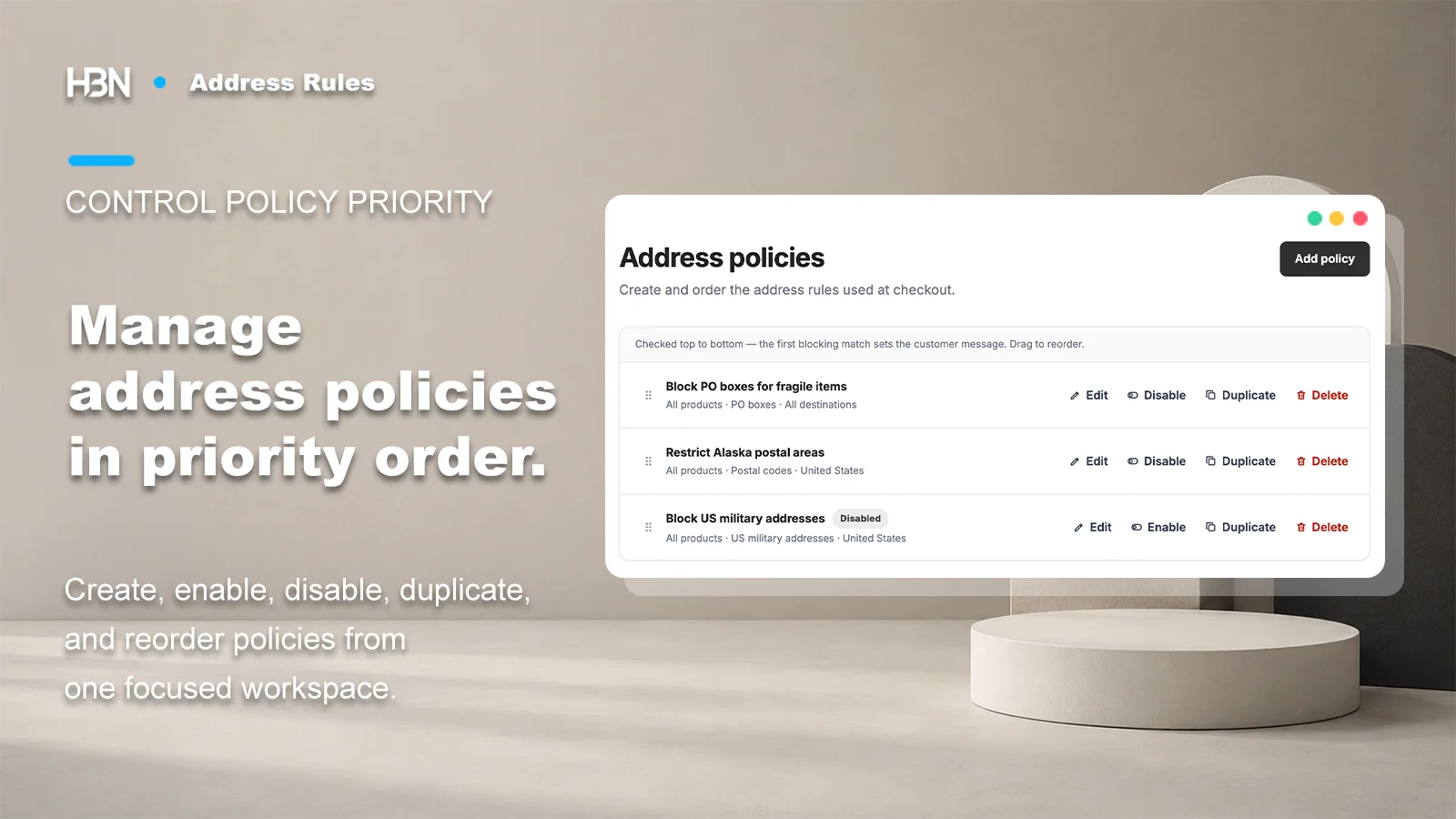
The policy list supports creating, enabling, disabling, duplicating, and reordering rules. For each delivery group, the first blocking match supplies the customer message. Passing one rule does not grant an exemption from the rules below it.
Policy order determines which restriction is explained first when several rules could block the same delivery group.
Product targeting narrows a rule; an exception can waive it
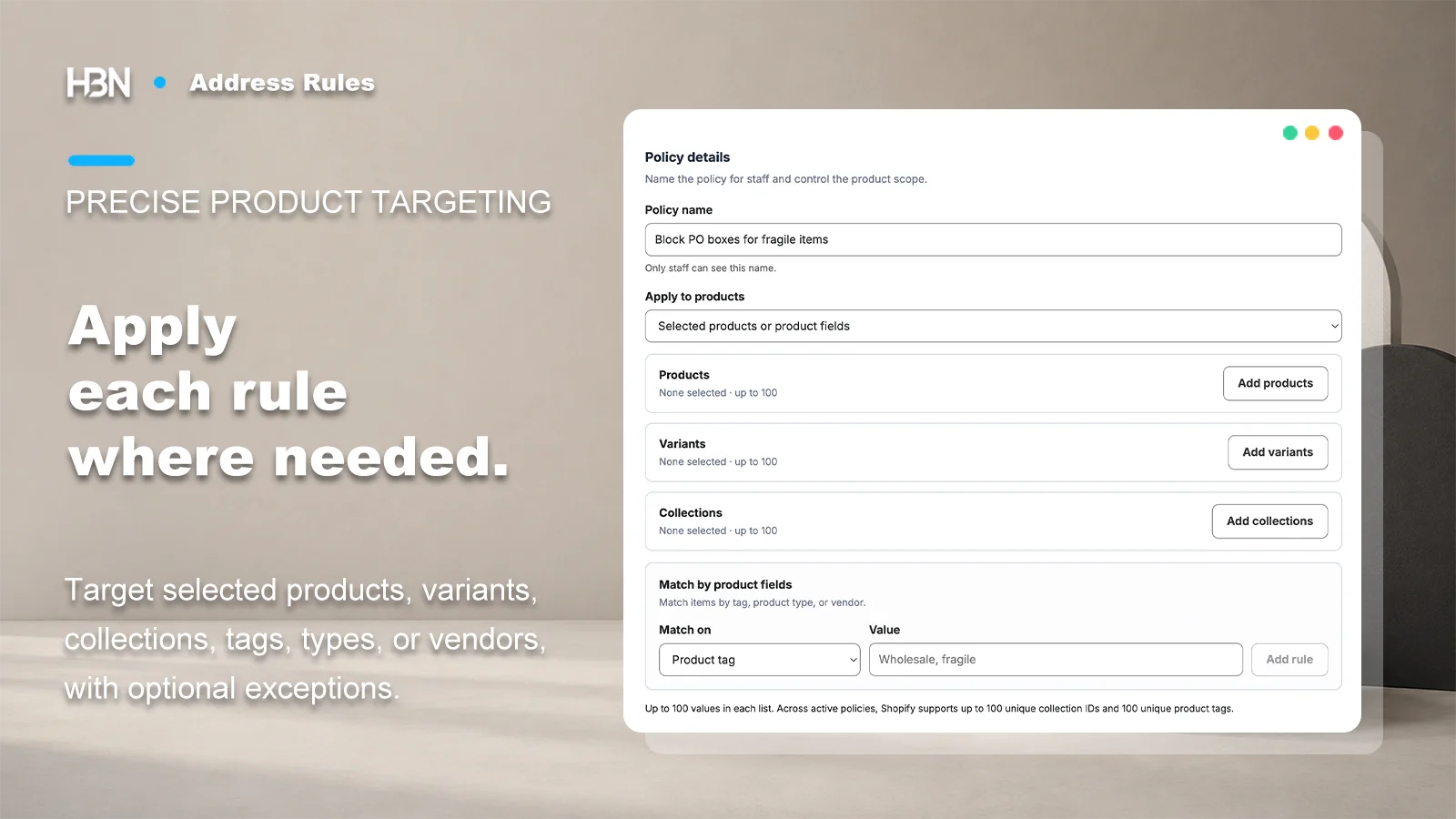
Pro lets you select products, variants, collections, tags, product types, or vendors. These selectors are alternative ways to match: adding a collection and a tag includes items matching either one, rather than requiring both. Use a dedicated collection or tag when you need a precisely maintained group.
Take particular care with product exceptions. If an item within the policy's product scope matches a product exception, that policy is skipped for its whole delivery group. An address exception also skips that policy for the group. Other policies can still block it. A mixed cart containing both a restricted item and an exception item deserves its own checkout test.
Match the product scope to the shipping limitation before adding exceptions for mixed orders.
Test the correction as well as the block
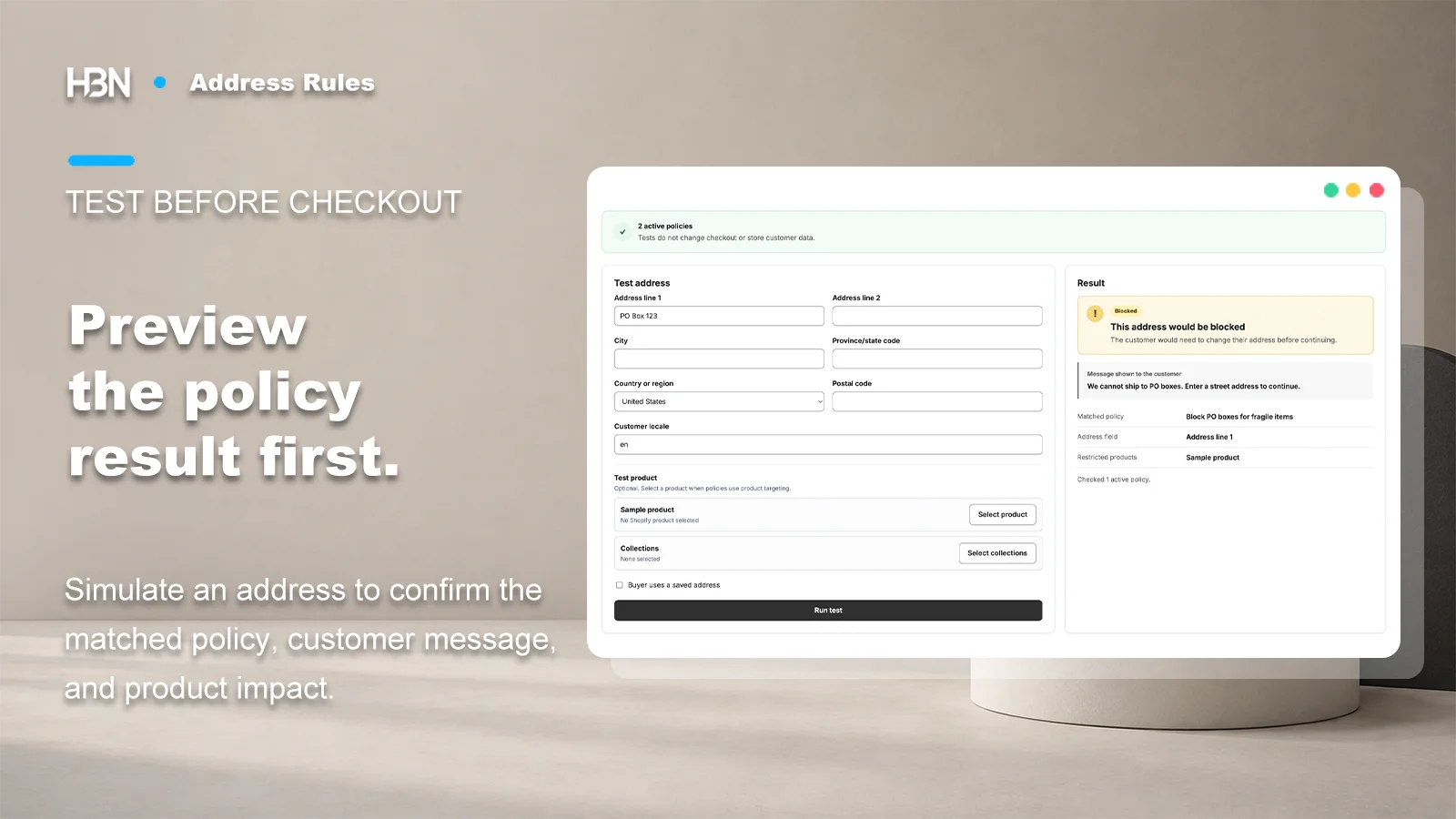
The Pro simulator previews an address and one product, showing the first blocking policy and its message. Use synthetic details to check the intended result, then test mixed carts and delivery groups in a test checkout. A single-product simulation cannot establish how every combination of products will behave.
Compare a restricted address with an accepted alternative, then verify the complete checkout flow.
Rules run when the customer attempts to complete checkout. Editing an address field alone does not trigger this app's message. Save an enabled policy to apply it, attempt the final order action with test payment, then correct the address and retry. Setup does not require a theme edit, app embed, or Checkout UI extension.
Write the message around the correction: “Please enter a street address. We cannot ship this item to a PO box.” Pro supports your own translations with the default message as fallback. Check the full rendered message in each checkout language, including any affected product information appended to it.
Free or Pro?
One shared restriction, or several distinct shipping needs?
The current app configuration supports the plans below. HBN: Address Rules is not yet publicly available; installation and current pricing information will be linked here when the Shopify App Store listing is live.
Free — one store-wide policy
Choose one restriction from all supported address types, set its destination scope, and write a custom checkout message. Disabled policies also count toward the one-policy limit.
This is enough when every product shares one constraint, such as requiring a street address instead of a PO box. It is one restriction, not a bundle of several independent checks.
Pro — policies for a varied catalog
Configure up to 20 policies, including disabled ones, with product targeting, product and address exceptions, translated messages, and simulation. CSV transfer supports store-wide policy workflows. The configured trial is seven days.
Pro becomes useful when products need different delivery boundaries, several restrictions must coexist, or messages need translations. Free and Pro keep separate policy sets; check the active set when changing plans.
Define the address you can accept.
Prepare one restricted example, one accepted alternative, and a message that explains the difference.